
Mercado Pago is the financial arm of Mercado Libre and one of the largest fintechs in Latin America. It offers a complete payments ecosystem for millions of merchants and consumers, including the Point Smart line of card terminals.
Kiosk Mode is a feature of the Smart POS device designed for self-service experiences, where customers place orders and pay autonomously, without the need for a cashier. This solution is particularly valuable in high-traffic environments such as movie theaters, food chains, events, and supermarkets.
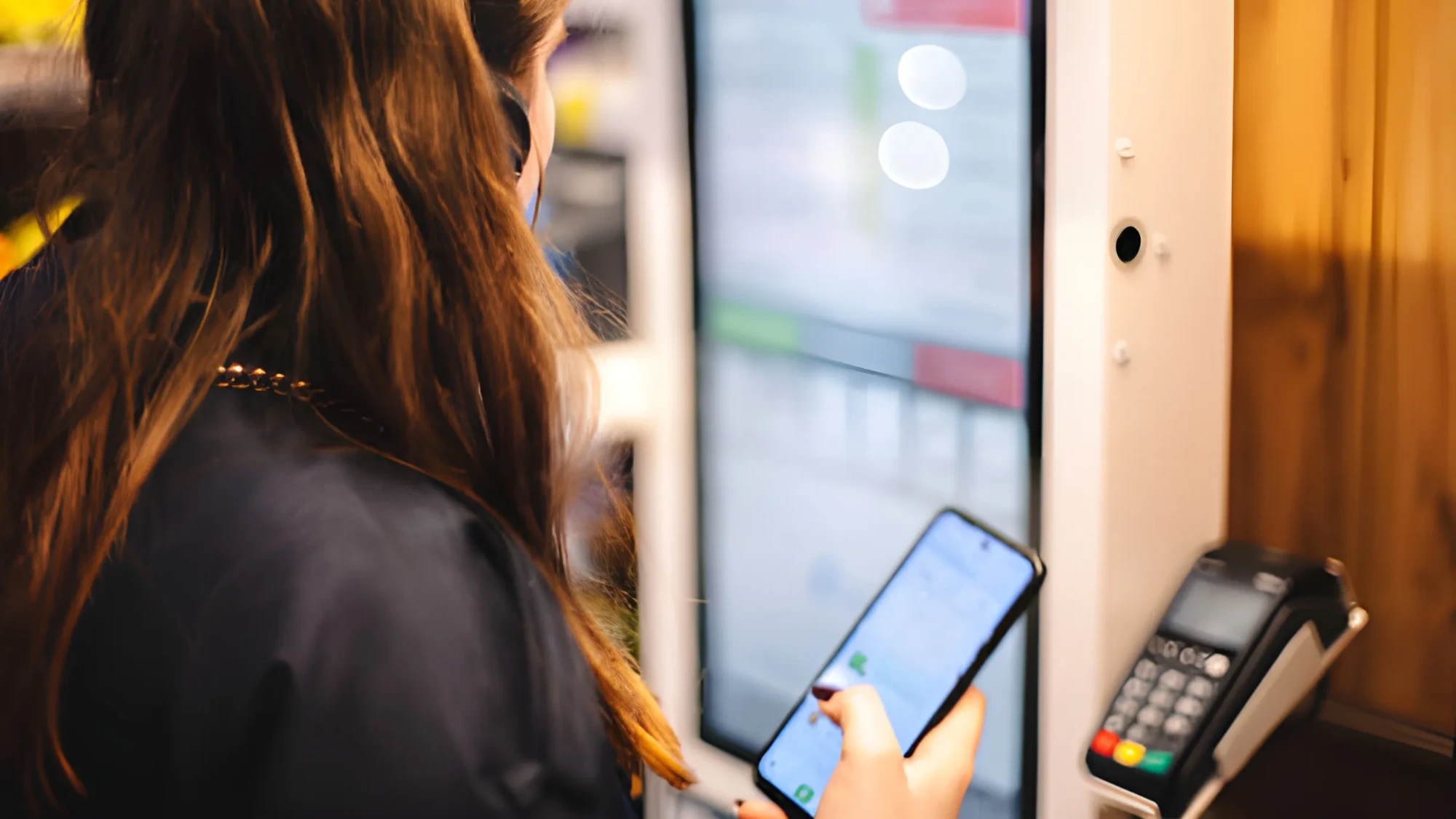
The journey begins at a self-service kiosk, where the customer selects items and chooses a payment method. Once the order is confirmed, the kiosk triggers the Point Smart terminal, which processes the payment. When the transaction is successful, the data flows back to the kiosk, which displays confirmation and prints the receipt.
The model was strongly requested by major sellers such as Vtex, Café Martinez, and Implay (Flamengo), who were looking to reduce lines and optimize staffing. Beyond meeting this demand, the goal was to strengthen Point Smart’s competitiveness by offering a modern, automated self-checkout experience.
I was the lead UX Designer (owner) of this project, responsible for the end-to-end design of the Kiosk Mode experience. Partnering with a UX Writer, I led the process from early discovery and business needs to the final high-fidelity handoff to the development team.
My responsibilities included mapping user journeys, conducting competitive benchmarks, facilitating ideation sessions with Product and Engineering, creating detailed flowcharts, prototyping both payment and configuration flows, and ensuring technical feasibility and alignment across teams.
The central challenge was designing a self-service experience that was both simple and fail-safe for a highly diverse audience (from tech-savvy users to those interacting with a kiosk for the first time), while working around significant technical constraints and the need to negotiate MVP scope. We had to balance the ideal user experience with what was feasible to build, while ensuring device security and clarity at every interaction step.
The project objectives were defined across three key areas:
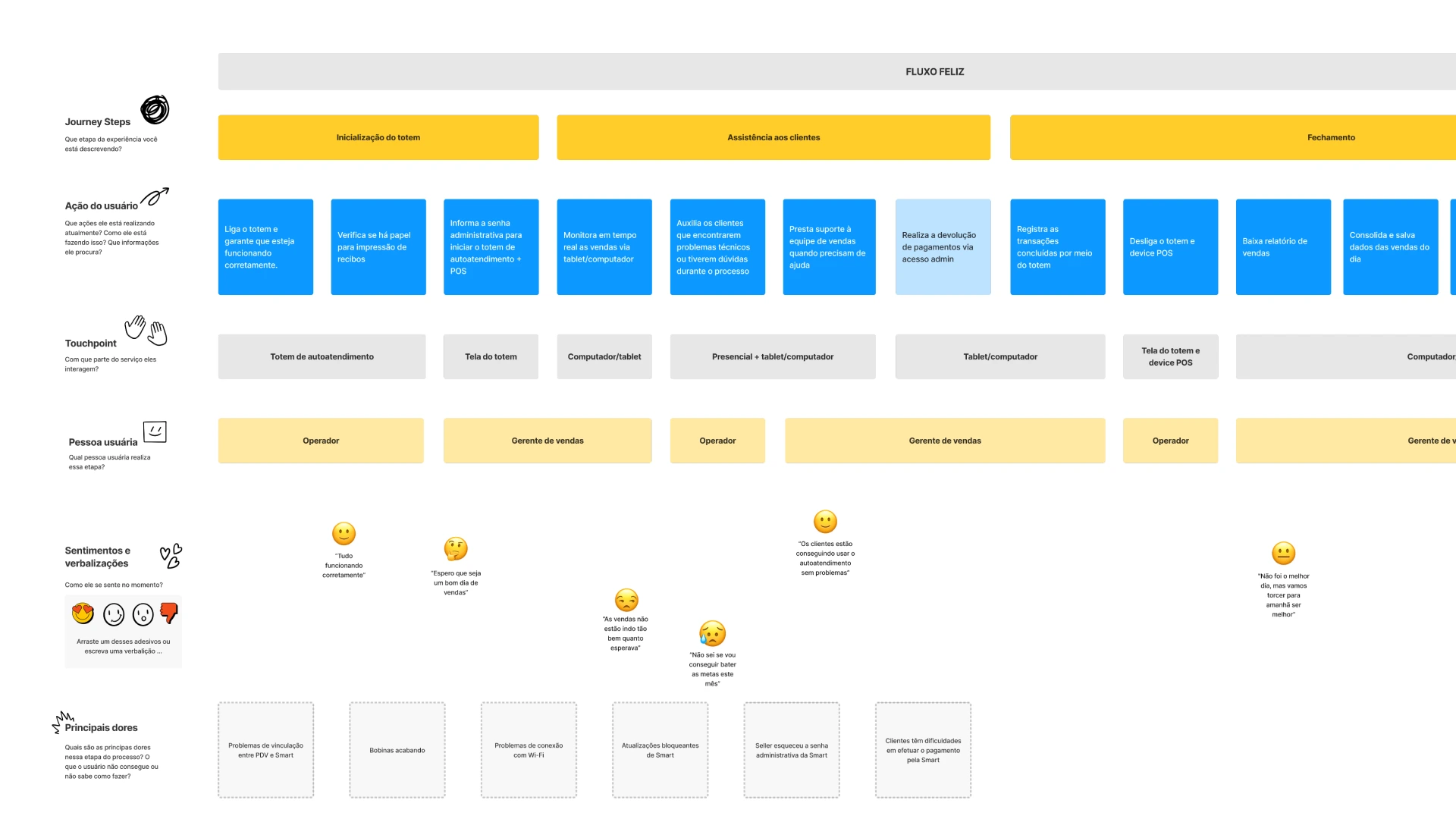
We began by mapping both buyer and seller journeys to identify every touchpoint with the kiosk and POS device. This gave us clarity on who interacted with what, when, and at which stage of the process.
We analyzed how other companies handled kiosk–POS integrations. Using those insights, we built a CSD matrix (Certainties, Assumptions, Doubts) to guide our user interviews with sellers and system integrators.
We conducted interviews with major sellers to understand real-world contexts of use. Topics included:
These insights helped validate hypotheses, prioritize features, and anticipate operational friction.
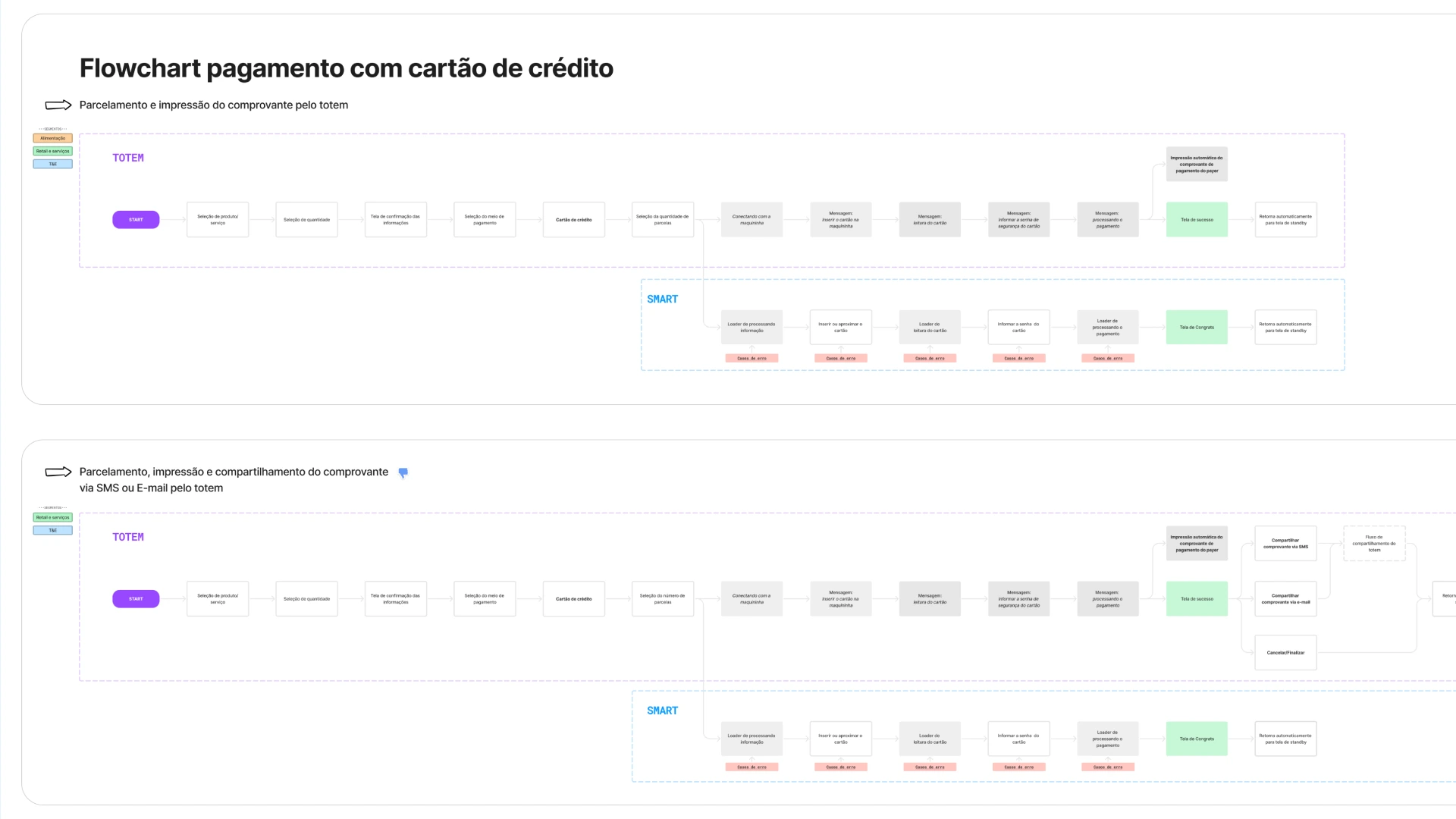
We mapped every possible payment scenario: different payment methods (credit, debit, food vouchers, Pix), receipts (printed, email, SMS), as well as error states and time-outs. These were translated into both UX and technical flowcharts.
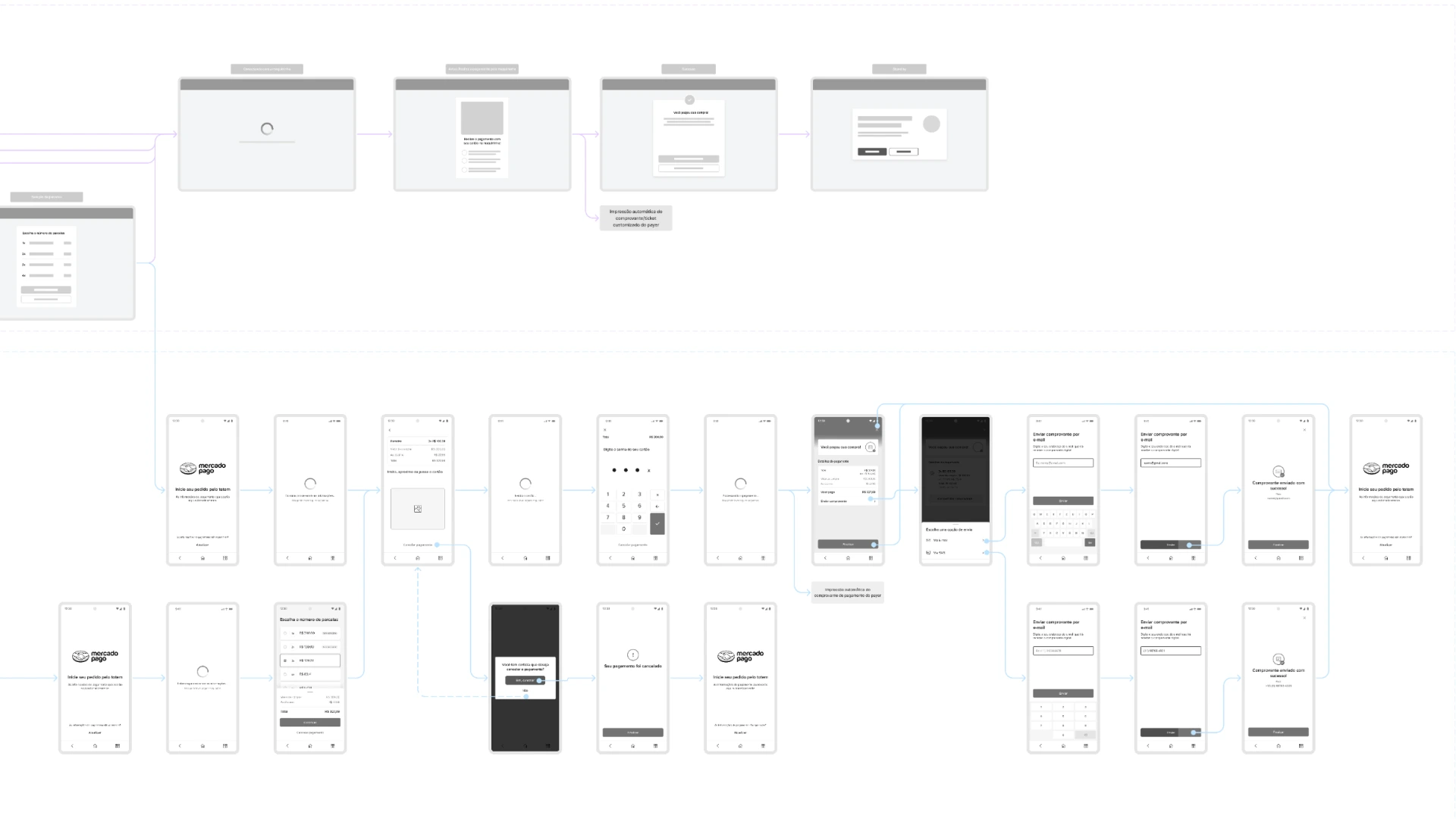
Based on the flows, we created low-fidelity wireframes focused on the main Smart POS use cases. We also mapped all deviations from the terminal’s traditional flow, allowing Engineering to assess effort and feasibility.
Additionally, we designed the full configuration flow: kiosk mode activation, password setup, physical button restrictions, and admin controls.
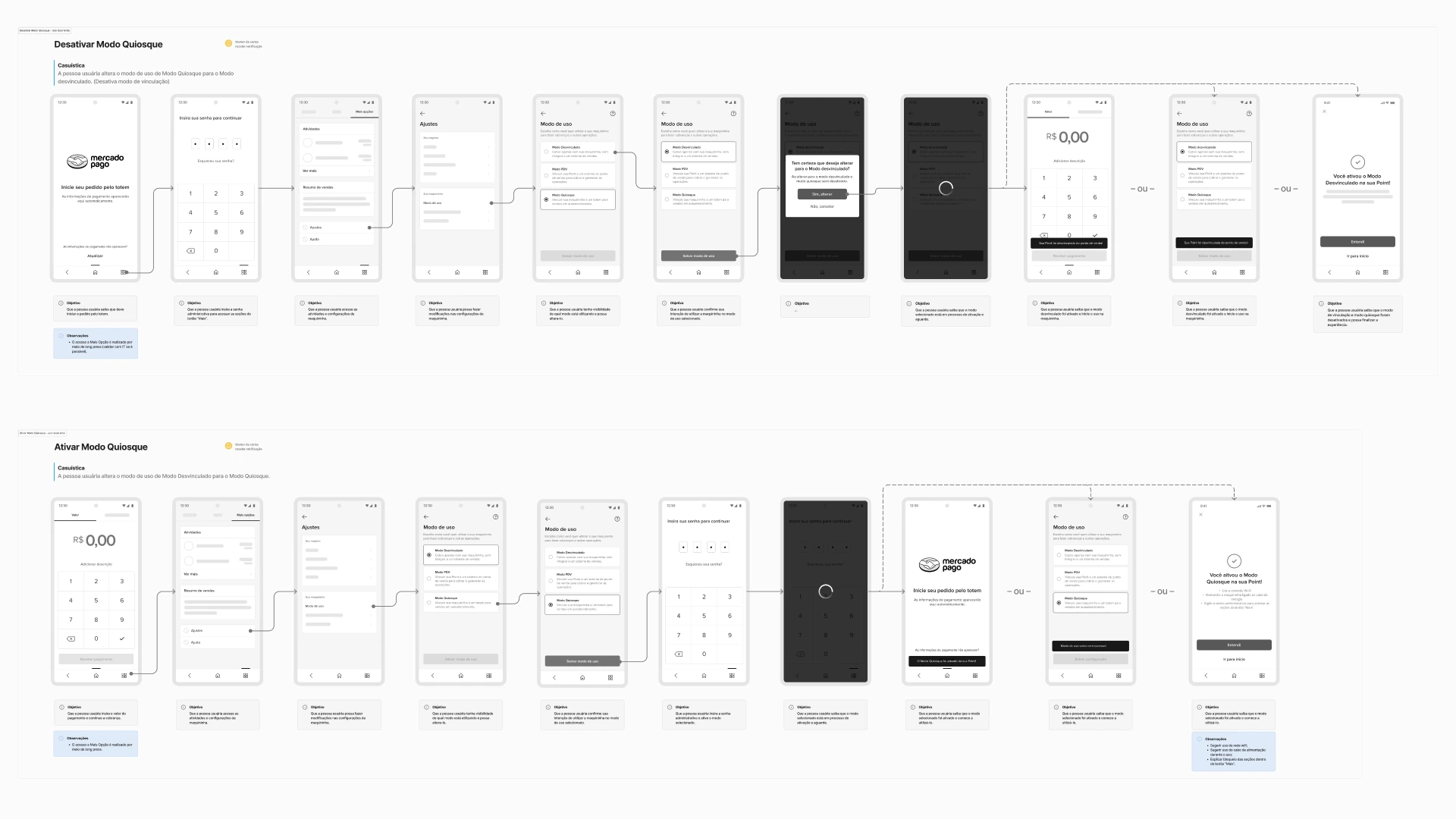
We ran design critique sessions with other UX designers to validate structure, clarity, and screen content. After several iterations, we moved into high-fidelity designs and detailed technical documentation for development handoff.
Due to time and resource constraints, the MVP did not include every scenario initially mapped. Together with Product and Engineering, we agreed to launch with a generic error screen, with additional exception handling to be phased in later.
After delivering the handoff, I was reassigned to a strategic project in Chile. However, a few months later I reached out to the new UX team and learned that:
This project represented nearly 6 months of focused work, cross-functional collaboration, and deep learning about delivering functional solutions under tight technical and time constraints.
This project was a masterclass in balancing design ambition with technical reality. My biggest takeaway was learning the art of negotiating with IT to slice a complex product into a viable MVP while protecting the core user experience principles.
Practically, I learned the importance of prioritizing simplicity and security when designing for unsupervised environments, as well as the value of mapping journeys across all personas: sellers, buyers, and integrators. Doing so avoids rework and drives alignment across teams.